Everyday spending
Lunch, fuel, groceries: money that leaves one of your wallets.
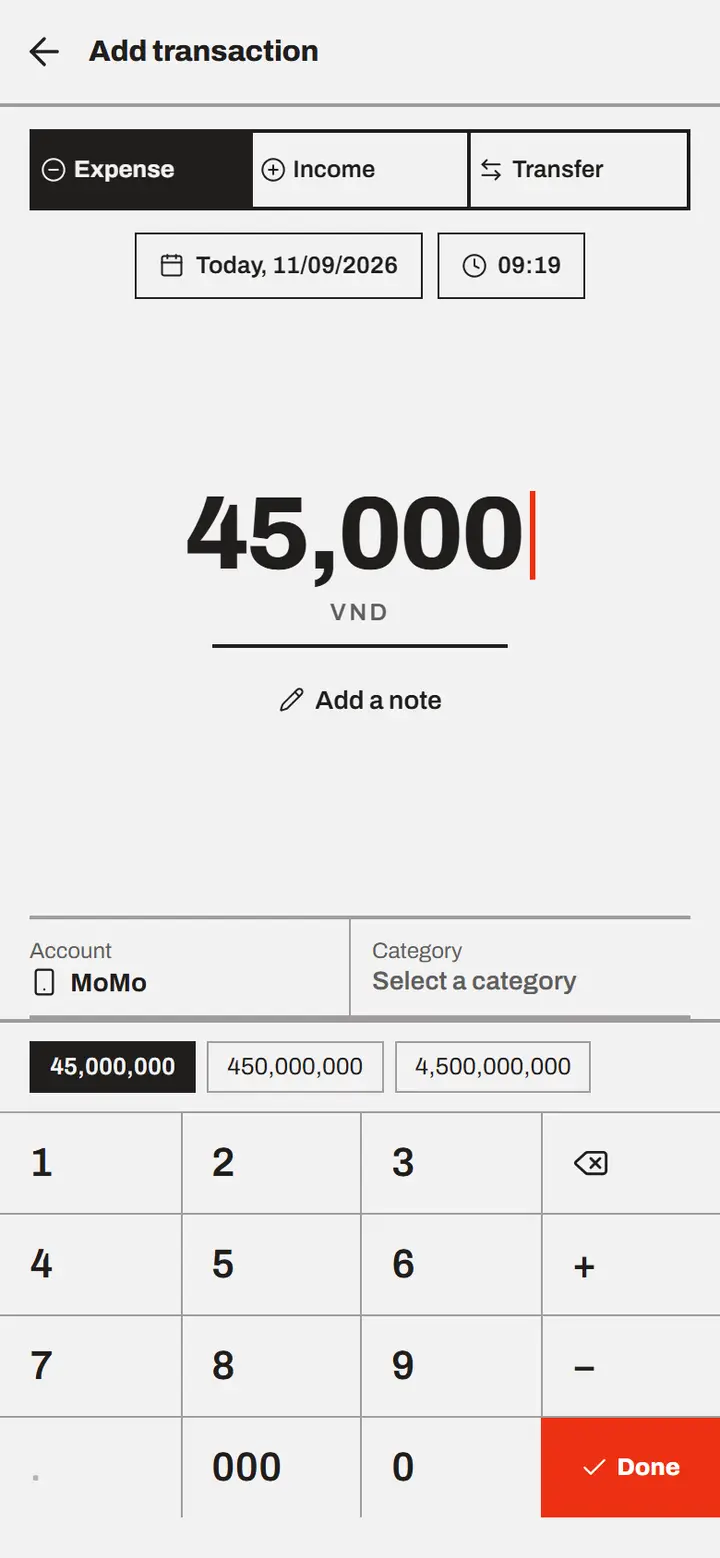
- Tap the + button in the middle of the tab bar. Expense is selected at the top.
- Type the amount.
- Add a note if you like (e.g. "Lunch with the team").
- Under Account, choose the wallet the money came out of. Your favorite wallet is filled in already.
- Under Category, choose what it was for. Tap a category with sub-categories to pick one of them, or use the search box.
- The date and time are now. Tap them to change them if it happened earlier.
- Tap Save. The wallet balance goes down and the spending counts in Overview, Analytics and your budgets.